
Bridgeport Court Docket Records
Bridgeport court docket records are filed and tracked through the Connecticut Judicial Branch. As the largest city in the state, Bridgeport generates a high volume of civil, criminal, family, and housing cases each year. The Bridgeport Judicial District courthouse at 1061 Main Street handles most of these filings. You can search Bridgeport court docket records for free through several online tools run by the state. Each tool covers a different case type. You can also visit the courthouse clerk in person or send an email request for older case files. Criminal dockets, civil filings, and probate matters each have their own search system and process.
Bridgeport Quick Facts
Bridgeport Judicial District Court
The Bridgeport Judicial District courthouse is the main court for docket filings in the city. It sits at 1061 Main Street, Bridgeport, CT 06604. Call (203) 579-6527 to reach the clerk. This court handles civil cases, family matters, and serious criminal cases. Every case gets a docket number at the time of filing. That number stays with the case through each step. Motions, hearings, orders, and dispositions all show up on the docket. The Bridgeport JD is one of the busiest courts in Connecticut. Civil lawsuits, divorce filings, custody matters, and felony cases all come through this building. The clerk staff can pull up any active case file if you visit in person during business hours.
| Court | Bridgeport Judicial District |
|---|---|
| Address | 1061 Main Street, Bridgeport, CT 06604 |
| Phone | (203) 579-6527 |
| Hours | Monday through Friday, 9:00 AM to 5:00 PM |
The Bridgeport JD courthouse directions page on the Judicial Branch website shows how to get to the court and where to park.
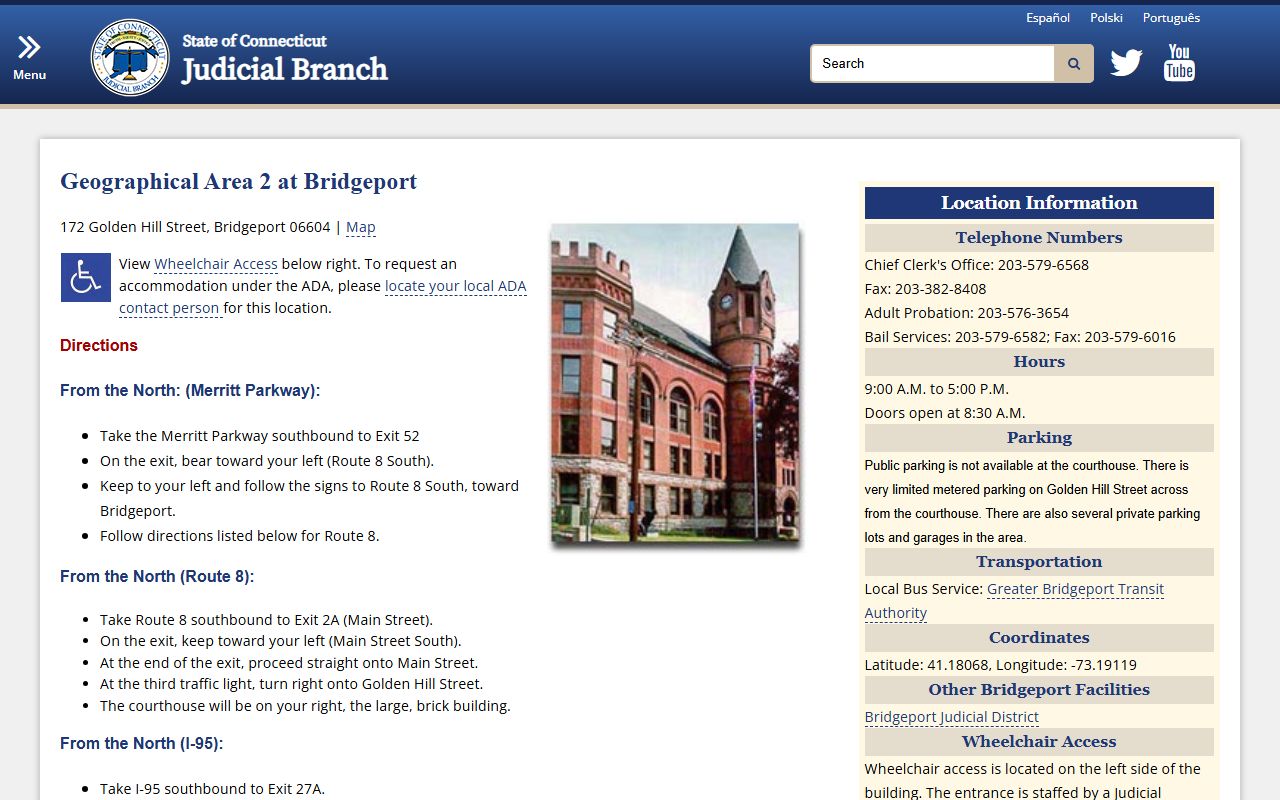
Parking near the courthouse can fill up fast. Plan to arrive early if you have a court date or need to visit the clerk for docket records. Street meters and a nearby garage are the main options.
Bridgeport Criminal Docket Records
Criminal docket records in Bridgeport go through two courts. The Judicial District handles felonies and more serious criminal cases. G.A. 2 handles arraignments, misdemeanors, and motor vehicle cases. G.A. 2 sits at 172 Golden Hill Street, Bridgeport, CT 06604. You can call them at (203) 579-6560. Both courts create docket records for every case. The docket shows the charges, court dates, plea, and final result. Under C.G.S. 51-36a, the Judicial Branch sets the rules for how courts keep and share these records with the public.
Search Bridgeport criminal docket records online through the Criminal/Motor Vehicle Case Look-up tool. This tool shows conviction records for up to 10 years after sentencing. Pending cases stay visible until the court resolves them. You can search by name or docket number. Results show the court location, charges, and case status. The daily docket feature lets you see what cases are scheduled at G.A. 2 or the Bridgeport JD on a given day. This is useful if you need to check a court date.
Note: Some criminal records may be erased after a dismissal or pardon, so not every past case will appear in the online system.
Search Bridgeport Court Dockets Online
The fastest way to find a Bridgeport court docket is through the state's free online tools. The Civil/Family Case Look-up covers civil lawsuits, family cases, small claims, and housing matters. Type in a party name. The system pulls results from every court in the state. You can filter by case type or court location to narrow it down to Bridgeport cases. Each result gives you the docket number, case type, parties, court, and current status. Under C.G.S. 1-200, the Freedom of Information Act gives everyone the right to access these records. You do not need to be a party to a case to search for it.
Criminal dockets use a separate tool. The criminal case search covers all GA and JD courts. Bridgeport Housing Session docket records are filed at 1061 Main Street and can be reached at (203) 579-6936. Housing cases also appear in the civil case lookup tool. Small claims cases filed in the Bridgeport area show up there too.
The Bridgeport city website provides general government information and links to local services.
While the city site does not host court docket records directly, it can help you find contact information for city offices like the City Clerk at (203) 576-7206 or the Mayor's office at (203) 576-7201.
Bridgeport Probate Court Dockets
Probate cases in Bridgeport go through a separate court. The Bridgeport Probate Court sits at 999 Broad Street, Bridgeport, CT 06604. Call (203) 576-3945. This court handles estates, wills, trusts, guardianships, conservatorships, and name changes. Each probate case gets its own docket. The Connecticut Probate Court Case Lookup tool covers cases filed from 2011 forward. Older probate docket records must be requested from the Bridgeport Probate Court directly. Probate records are generally public, though some files involving minors or protected persons may be sealed.
| Court | Bridgeport Probate Court (District 48) |
|---|---|
| Address | 999 Broad Street, Bridgeport, CT 06604 |
| Phone | (203) 576-3945 |
| Hours | Monday through Friday, 9:00 AM to 5:00 PM |
Bridgeport Juvenile and Family Dockets
Family cases in Bridgeport file through the Judicial District court. Divorce, custody, visitation, and support cases all create docket records there. These show up in the civil/family case lookup tool online. Juvenile matters go through a different location. The Juvenile Matters court in Bridgeport is at 60 Housatonic Avenue. Call (203) 579-6544. Juvenile docket records are not public. Under C.G.S. 46b-124, juvenile case files are confidential. Only parties, their attorneys, and certain agencies can access them. This is a strict rule with very few exceptions.
Family docket records that involve adults are public. You can look up a divorce filing, a custody case, or a support action by name or docket number. The online tool shows the case status, hearing dates, and filed documents. If you need copies of specific filings from a Bridgeport family case, visit the clerk at 1061 Main Street or email your request to SuperiorCourtRecordsCenter@jud.ct.gov.
Note: Copies of court docket records cost $1.00 per page, and certified copies cost $2.00 per document plus the per-page fee.
Getting Copies of Bridgeport Docket Records
You can get copies of Bridgeport court docket records in a few ways. The simplest is to walk into the clerk's office at 1061 Main Street during business hours. Ask for the case by name or docket number. Staff will pull the file and make copies. Bring a photo ID. Copies cost $1.00 per page. Certified copies run $2.00 per document plus the page fee.
For closed cases that have been sent to storage, contact the Superior Court Records Center in Enfield. Email SuperiorCourtRecordsCenter@jud.ct.gov with the case name and docket number. Staff will pull the file and let you know how to get copies. Disposed Bridgeport docket records get moved to the records center after the local courthouse retention period ends. Court transcripts are a separate request and cost $3.00 per page for regular service. Audio recordings of proceedings are $25 per day per docket number for hearings from November 2018 onward.
Bridgeport Court Docket Filing Process
Filing a new case in Bridgeport starts at the clerk's office. You need the right forms for your case type. The Connecticut Judicial Branch forms page has all the forms you might need, sorted by case type. Civil, family, small claims, and housing forms are all there. Fill out the forms, make copies, and bring them to the courthouse. Filing fees vary by case type. A civil lawsuit costs more to file than a small claims case. The clerk will stamp your papers and assign a docket number. That number tracks the case from the first filing to the last order.
The Bridgeport Judicial Branch also offers some services through the E-Services portal. Attorneys can file documents online in some case types. Self-represented parties may also use certain e-filing options. Check the portal for what is available. Not all case types support electronic filing yet.
Bridgeport Police Records
Police records and court docket records are two different things. The Bridgeport Police Department keeps its own records of arrests, incident reports, and investigations. You can request police records by calling (203) 581-5100. These records may relate to a court docket, but they are managed separately. An arrest report from the police is not the same as a court docket entry. The docket starts when the case gets filed in court. The police report starts when officers respond to an incident or make an arrest.
Fairfield County Court Resources
Bridgeport is the county seat of Fairfield County. All Bridgeport court docket records are part of the larger Fairfield County court system. For more on courts across the county, visit the Fairfield County court docket page. That page covers all three Judicial Districts in the county and the GA courts that serve them.
Nearby Cities
Other cities near Bridgeport also file court docket records through Fairfield County courts. Check these pages for location-specific information.